How do I find who attended my open house?
Note: The Cloze Open House App is available on the Cloze Enterprise plan. This feature is in Beta.
After finding the contacts that attended your open house, you can easily email them or add a tag. (Tapping one of the links will bring you to a different section of this article.)
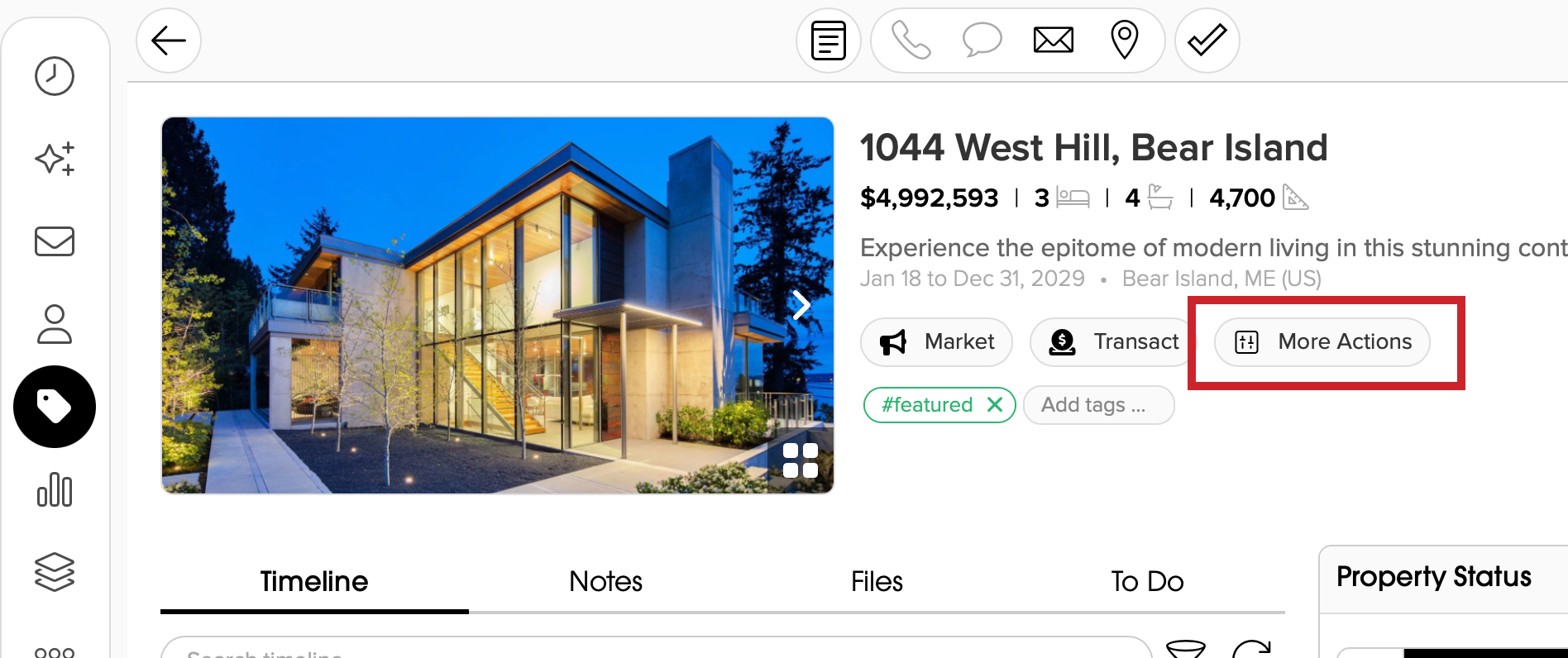
1.) Open the property in Cloze and tap on More Actions (beneath the name of the property).
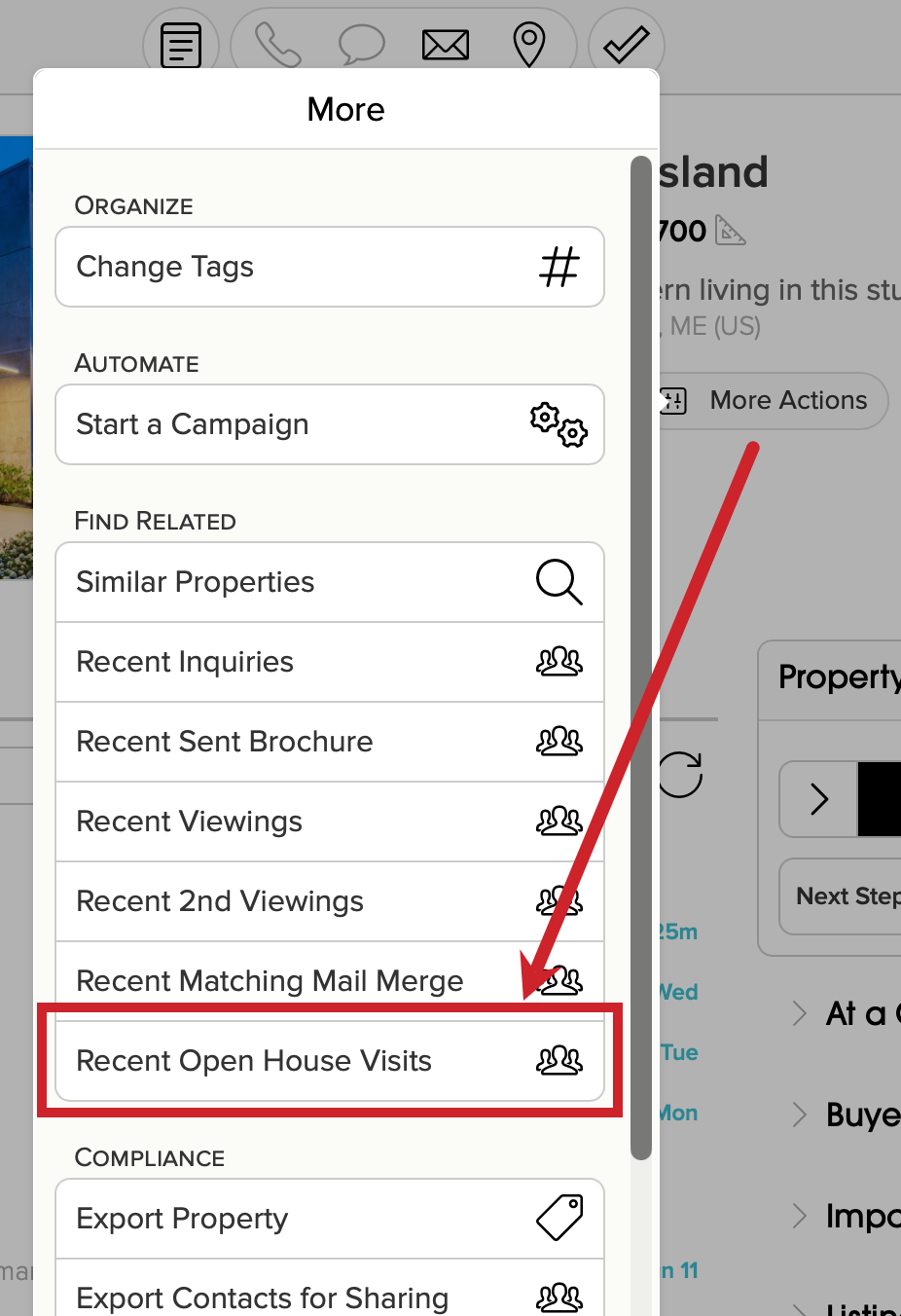
2.) Tap on Recent Open House Visits.
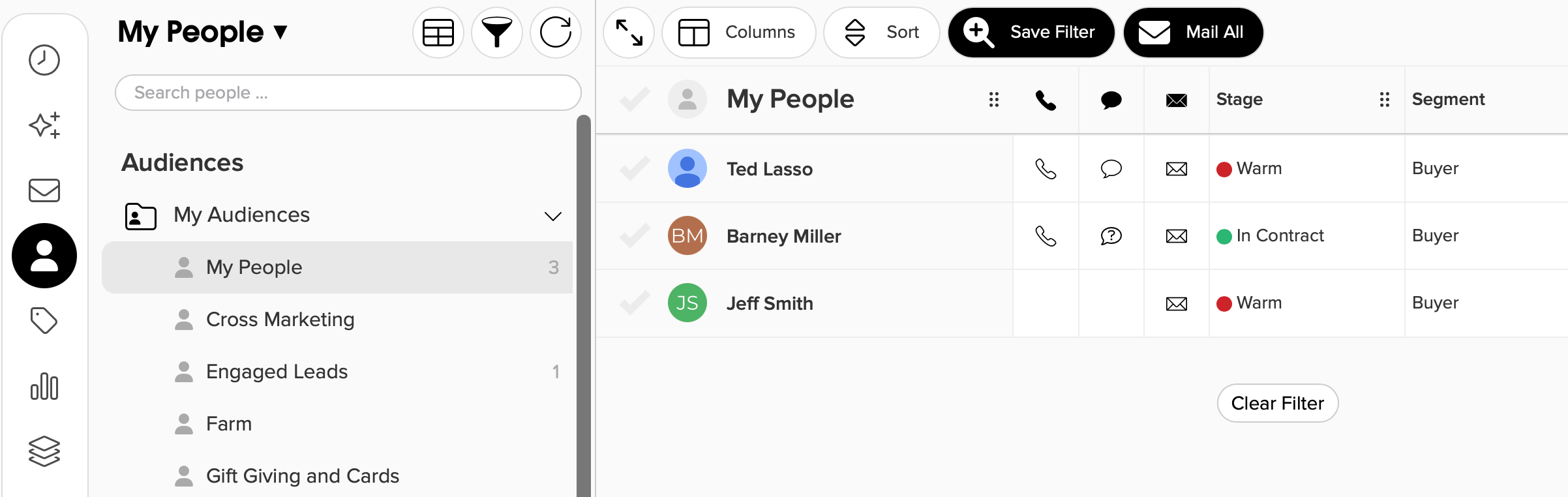
3.) The My People section will open and you will see a list of all that attended an open house. (Tap here to jump down to view the filter that was applied.)
Send an Email to Open House Registrants and Attendees
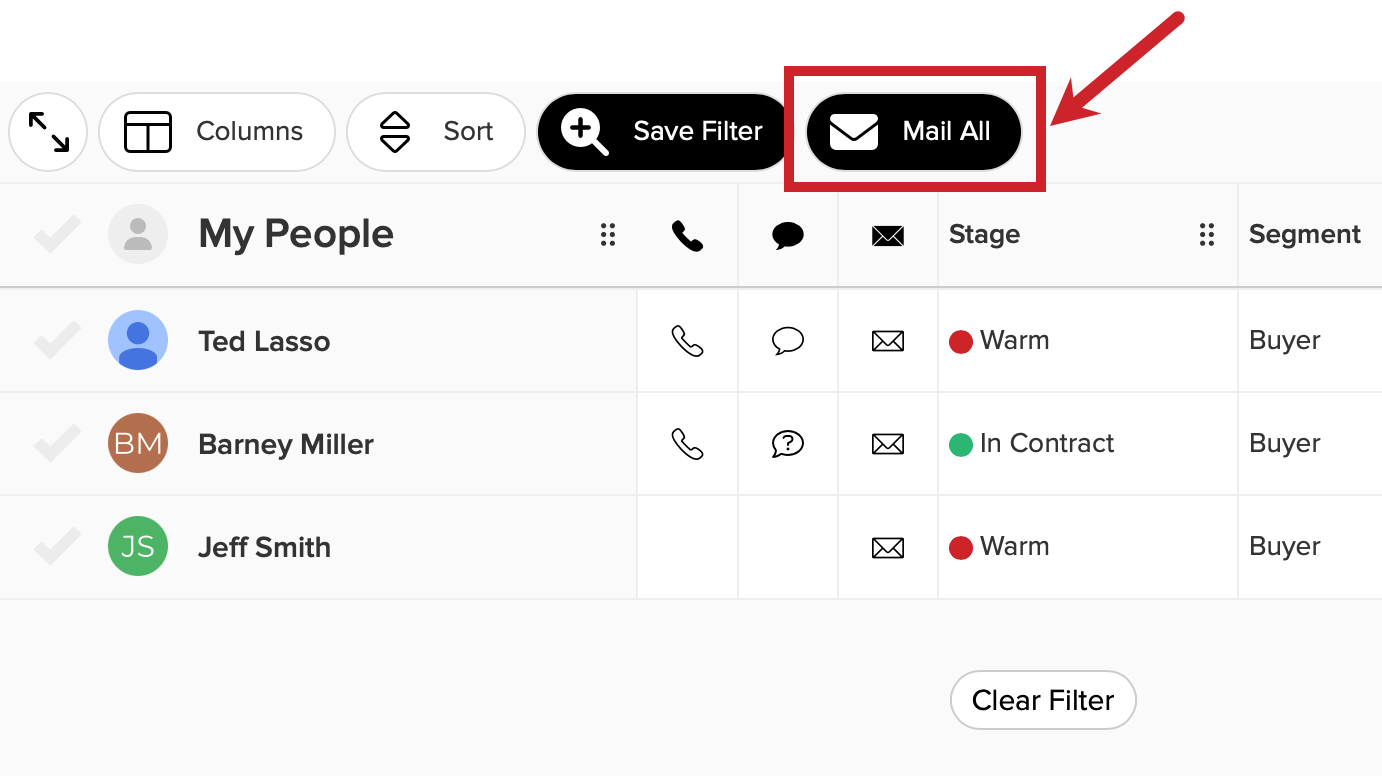
1.) Tap on Mail All to send them an email.
Add a Tag to Open House Registrants or Attendees
1.) Select the contacts.
- Tapping on the checkmark at the top will select All.
- You can select individual contacts by tapping the checkmark next to their name.
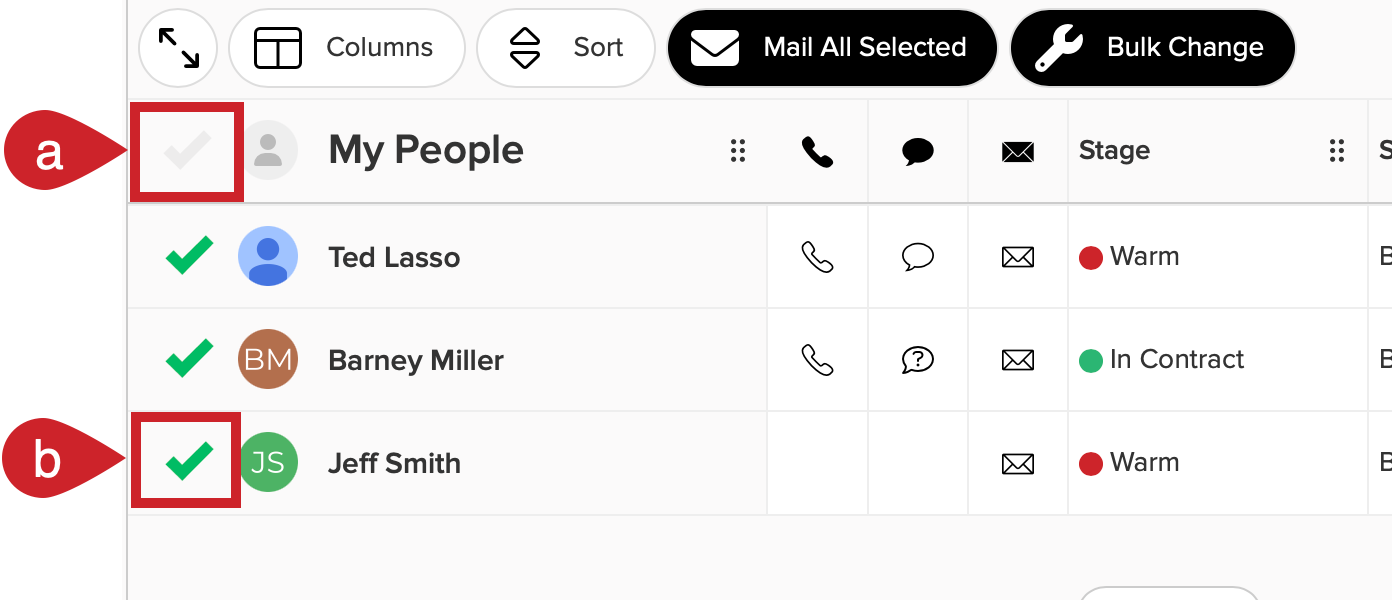
2.) After selecting the contacts:
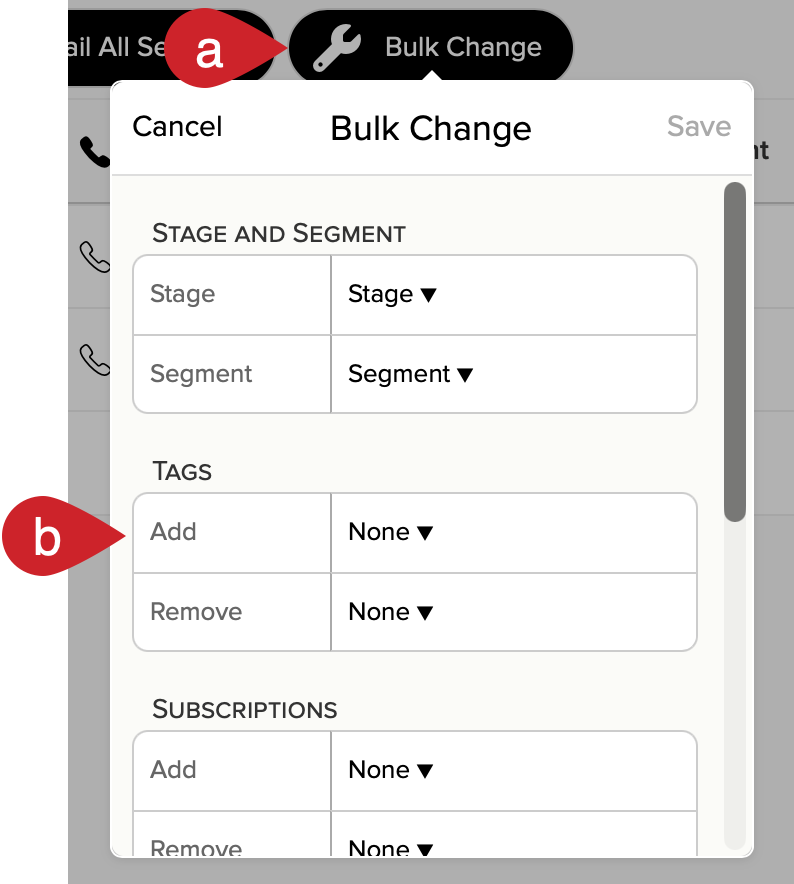
- Tap on Bulk Change at the top.
- Under Tags, tap the dropdown next to Add.
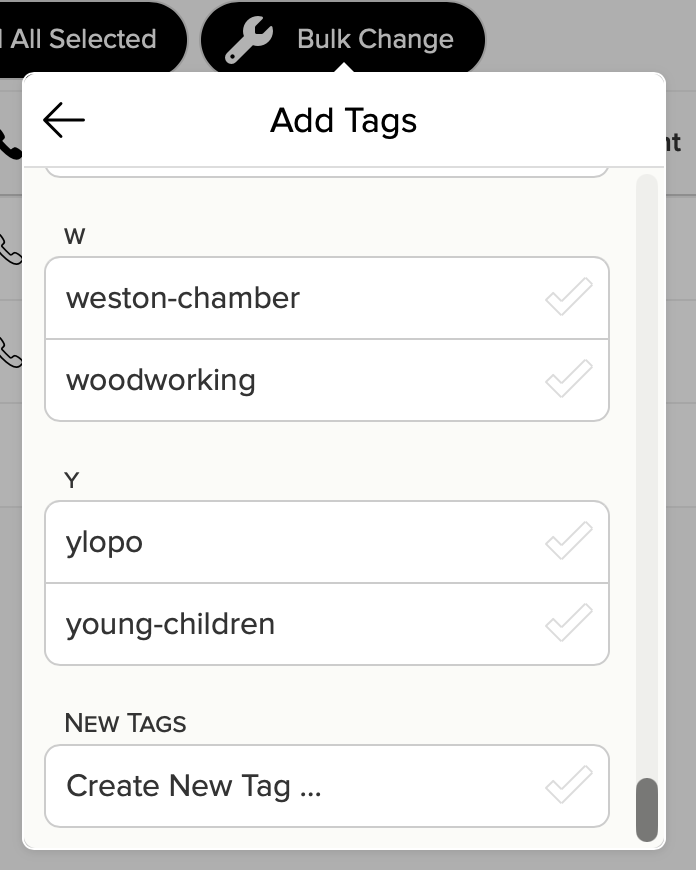
3.) Select a tag from the list or scroll down to the bottom and tap Create New Tag ...
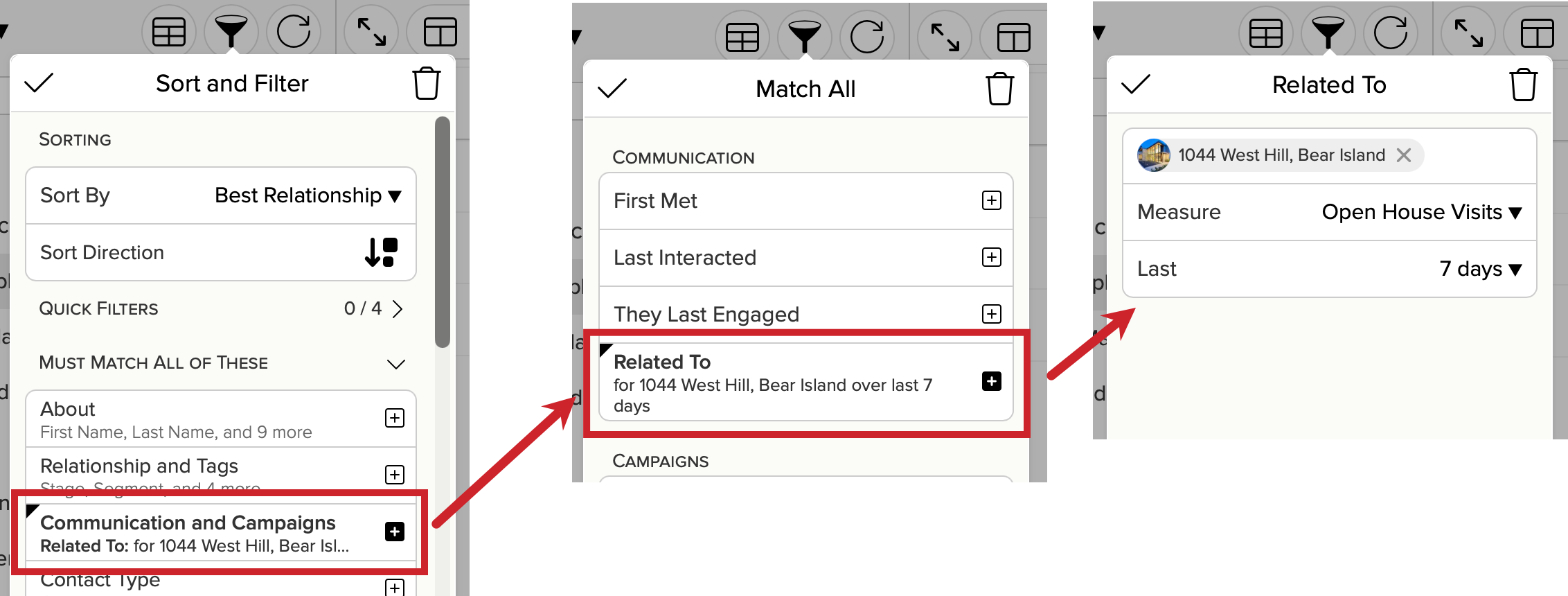
How Cloze Filters by Open House Visits
When you tap on Recent Open House Visits, Cloze filters by the property, Open House Visits, and a specific timeframe.