Open House App Activity Measure
Note: The Cloze Open House App is available on the Cloze Enterprise plan. This feature is in Beta.
When signing in, if a contact says they do not have an agent, Cloze will then set the contact as a Warm Buyer (set as a lead).
From a reporting perspective, each of the timeline events have the activity measure "Open House Visit".
To configure the activity measure:
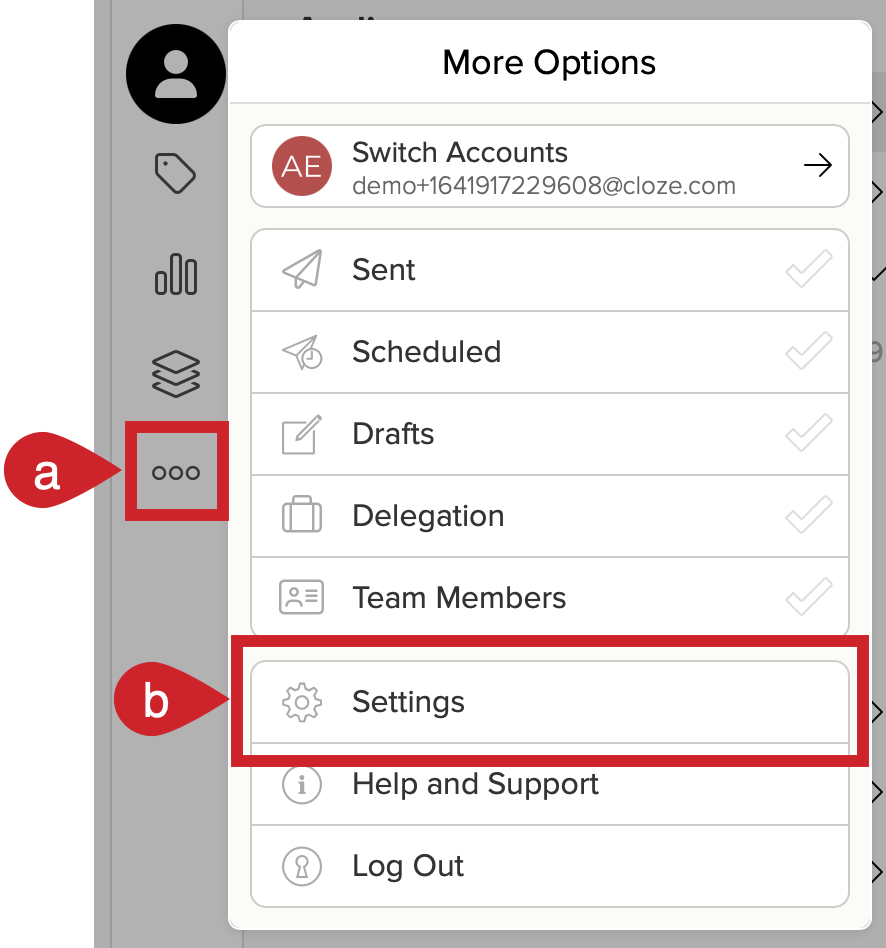
1.) In your Cloze account:
- Tap on More in the lower left on your computer (cloze.com).
- Select Settings.
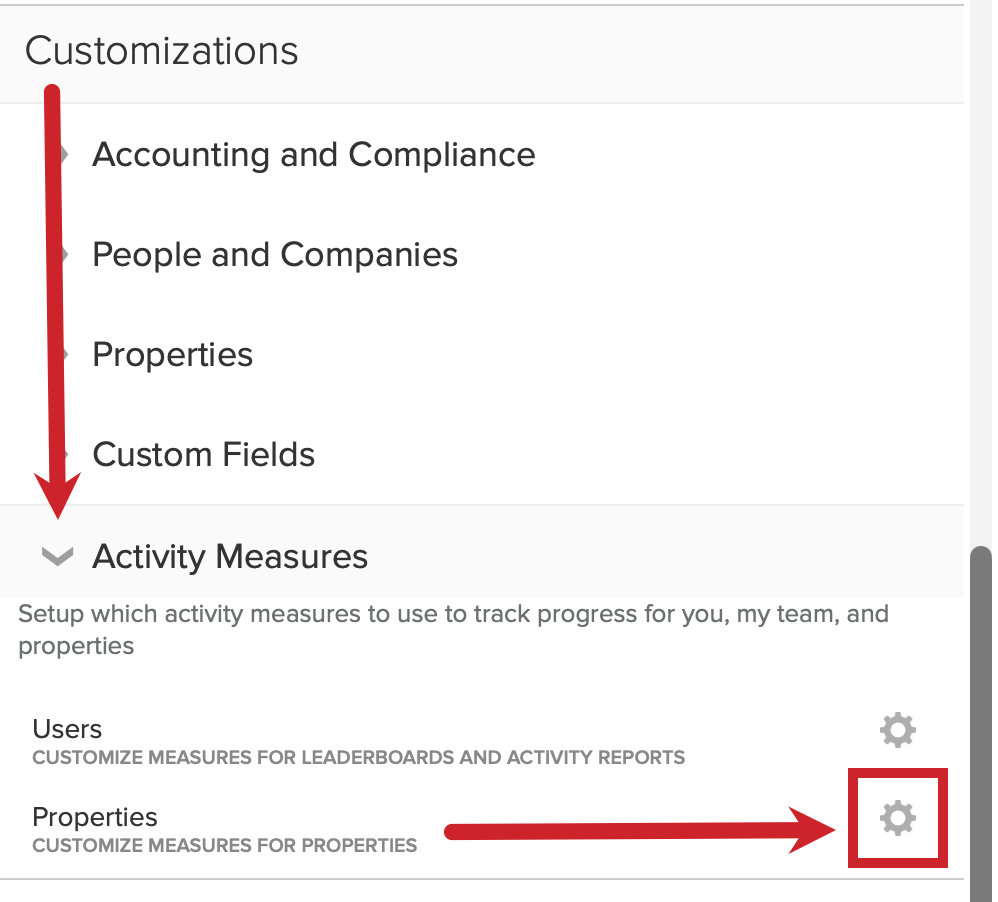
2.) Scroll down to Customizations and tap on Activity Measures. Tap the gear icon next to Properties.
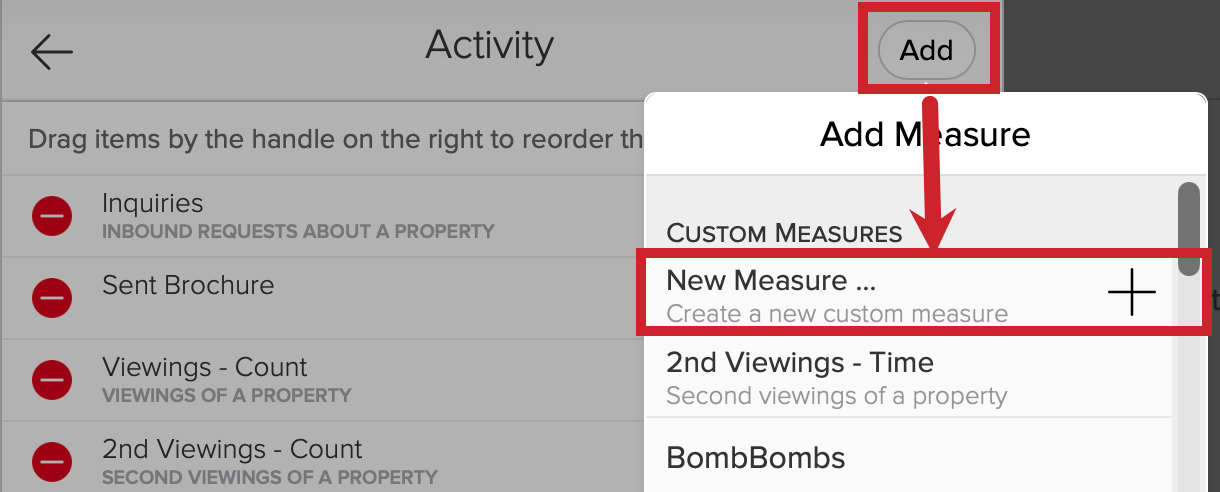
3.) Tap on Add and select New Measure ...
4.) Set up the Activity Measure - This is a two-part process.
Part 1: Create the Activity Measure as Open House which will set the unique ID to be open-house.
- Name: Open House
- Unique ID: open-house
- Applies To: Custom
Tap on Save.

Part 2: Edit the Activity Measure
1.) Tap on the gear next to Open House.

2.) Edit the name to be "Open House Visit" and "Open House Visits" and then tap on Save.

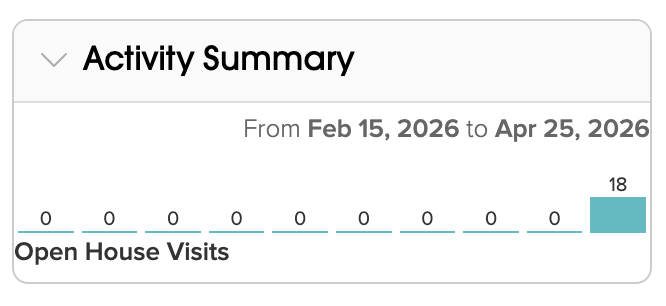
Once configured this gives you two additional capabilities in the UI for your listing:
You'll see the count of people that attended open houses for your property on each day:
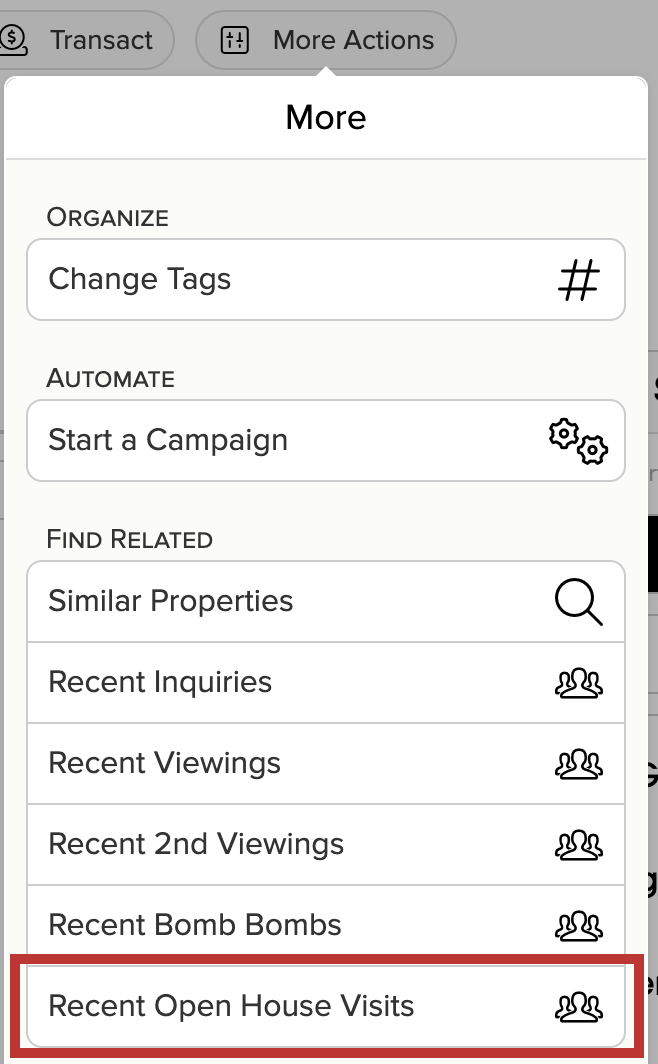
You'll be able to find everyone that attended your open house in the last X days: