How do I share a Property, Project, or Deal?
Cloze brings together a single view of all the activity related to any property, deal, or project, across everyone involved so everyone on your team can focus on what they need to get done, without missing a task, conversation, or decision.
You can share a Property, Project, or Deal at any time in two ways:
- When you create a new Property, Project, or Deal
- By inviting your coworkers to an existing Property, Project, or Deal
Please see below for both examples.
Share when you create a new property, project, or deal
In the example below "Projects" have been customized to be called "Properties".
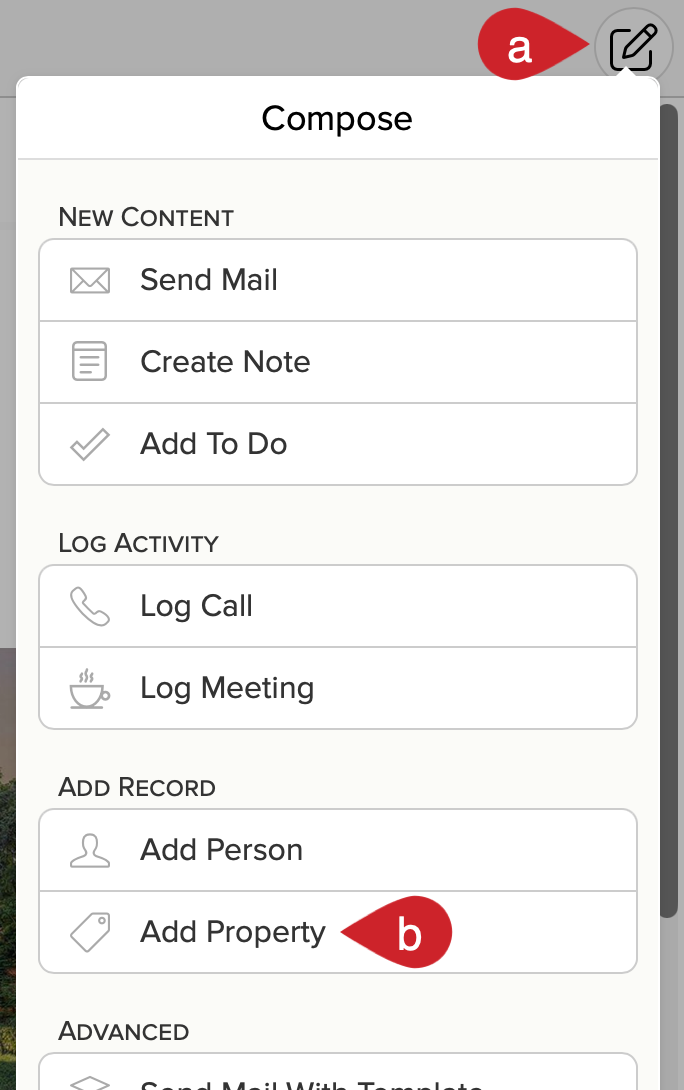
1.) Start by creating the Property.
- Tap on the compose icon.
- Select Add Property.
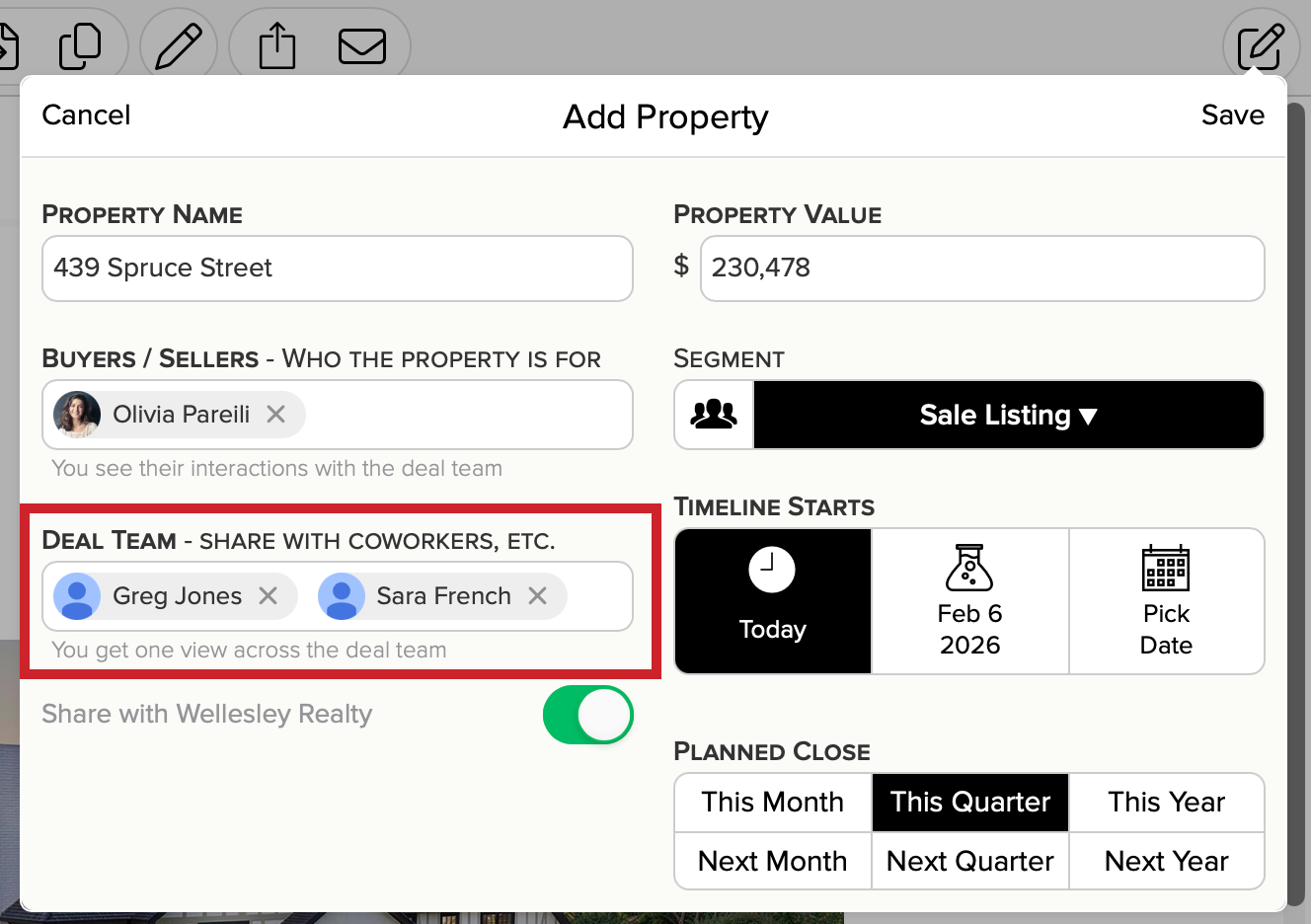
2.) As you fill in the details, invite team members to the Deal Team. Tap on Save when you're finished.
Add Team Members to an Existing Property, Project, or Deal via the Deal Team
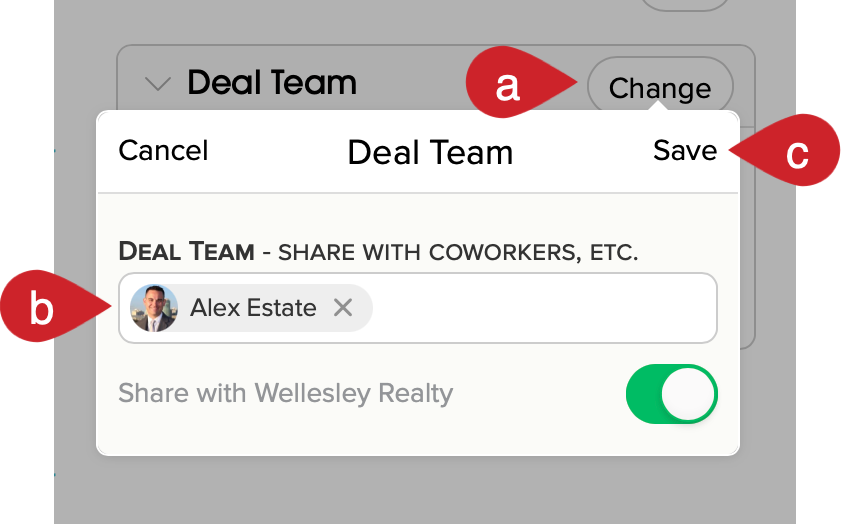
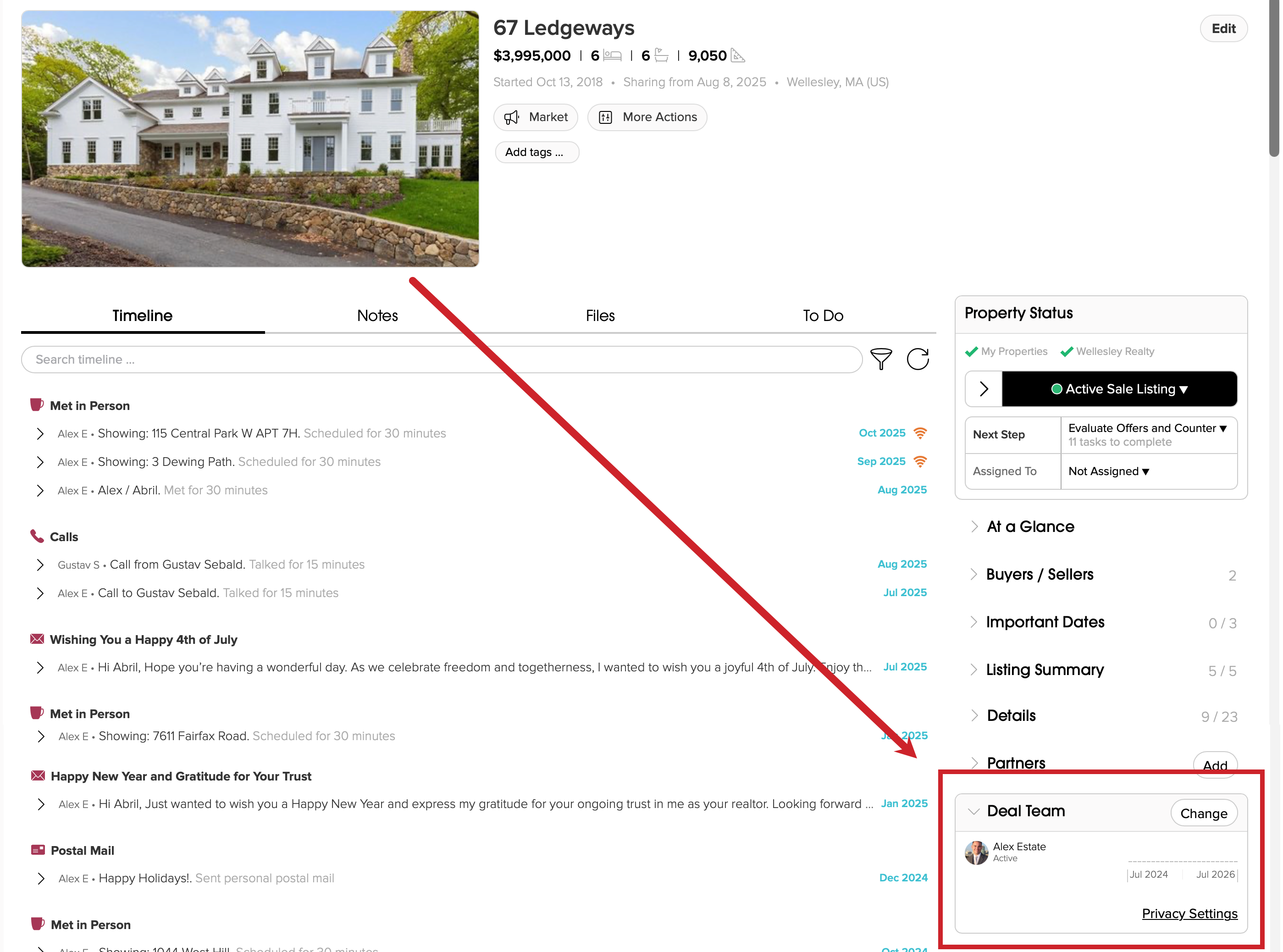
- Tap on Change in the Project (or Deal) Team section of any project.
- Search and add additional Project (or Deal) Team Members.
- Tap Save when you are done.