How do I send an email to everyone in an audience?
With Cloze, you can send a personalized email to multiple contacts at once using the Mail Merge feature. Mail merge allows you to communicate with many people at the same time while still maintaining the one-to-one, personal feel of each relationship.
You start by composing a base message that will be sent to everyone, and you can optionally personalize the message for each contact before sending. Each recipient receives their own individual email, sent from your real email account, just as if you had written to them one-on-one. You will also see the sent messages in your email account’s Sent folder outside of Cloze.
Please note that many email providers limit the number of emails you can send per day. For example, Google's G Suite limits you to 2,000 emails per day. Consumer Gmail accounts are limited to 500 emails per day. GoDaddy limits sending to 250 emails per day. Because of these email-provider sending limit restrictions, we support scheduled mail merge emails to 500 or fewer users.
Cloze Enterprise: When sending to audiences larger than 500 people, Cloze Enterprise will seamlessly switch to sending through our servers for scalable sending.
1.) Navigate to the People section:
- Tap an audience to select it.
- Tap "Mail All" at the top.

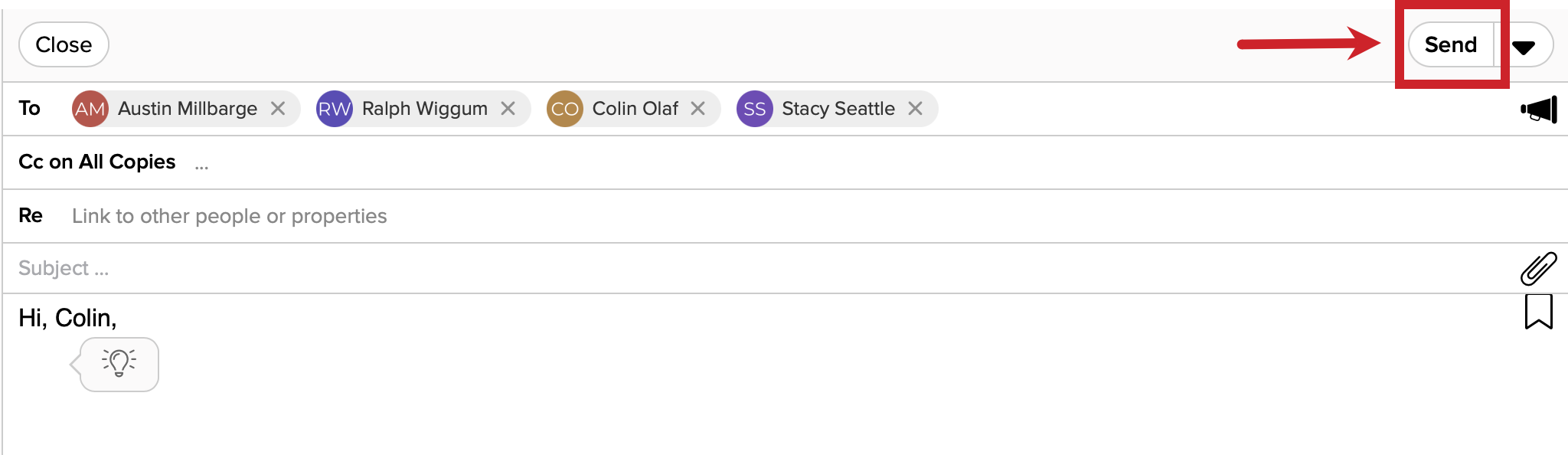
2.) After you tap on "Mail All", an email will open. You'll see the audience name in the To line and the megaphone icon will be filled in, indicating that you are sending a mail merge.

3.) Compose your email.
Tips: Use a template (a) or let Ghostwriter do the work (b).

If you want to customize the email for specific people, you need to add them as an additional recipient. If they are already a part of the audience, they will not receive duplicate emails.

4.) Optionally, tap on the Send Options menu and select one of the options.
- Send - Tap on the Send Options menu.
- Send from - Change the email account you are using to send the mail merge from
- Schedule - Schedule the mail merge to be sent in the future.
- Preview - Preview the email for a typical recipient.
- Add Recipients - Add other related people like a spouse.
- Customize - Customize each message for key recipients.

5.) Tap on the Send button to send your Mail Merge email.